Tuesday, August 11, 2026 · Trucking & Freight
School Traffic Makes Fleet Route Planning a Daily Operating Priority
Noted by Matthew Villaflor · 479 reads
Staggered school start dates, peak-hour congestion and rising fuel costs can disrupt fleet schedules. Route data and live adjustments help protect service times.
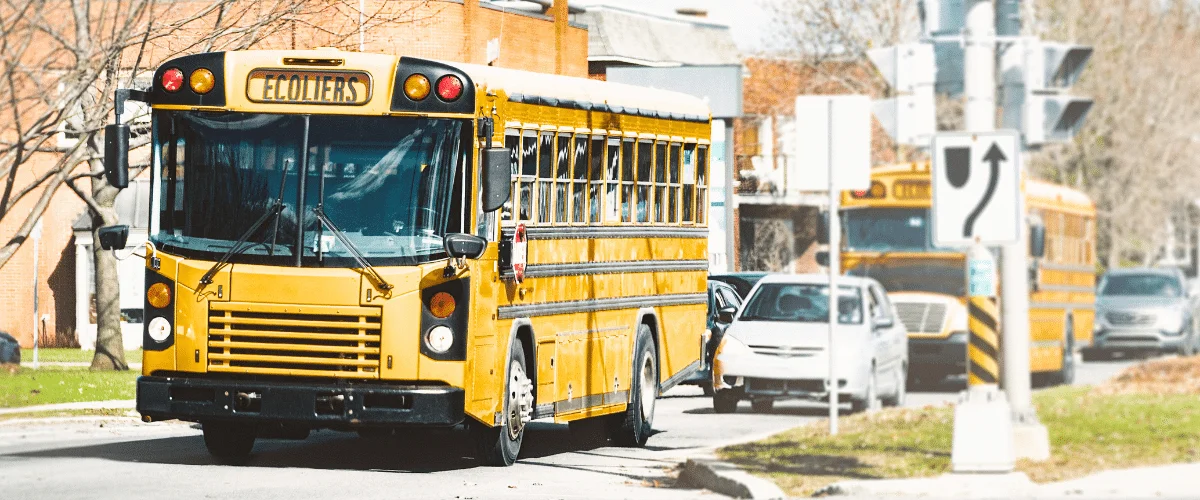
Back-to-school traffic can turn a route that worked in July into a recurring source of late arrivals, idle time and missed service windows. For fleets operating across multiple regions, the shift comes in waves: school calendars vary, school zones change traffic conditions, and bus stops interrupt the same corridors service vehicles rely on. Planning for those changes is an operating task, not a seasonal convenience.
The timing is uneven. A Pew Research Center analysis found that school start dates most commonly fall in the second and third full weeks of August. In the West South Central states, 94% of students return during one 12-day stretch in early August. In New Jersey, New York and Pennsylvania, about three-quarters return after Labor Day. A fleet covering several regions may therefore encounter changing morning peaks across four or five separate weeks.
That shift affects more than commute time. Nearly 500,000 school buses carry more than 25 million students to and from school each day, the National Highway Traffic Safety Administration (NHTSA) reports. Their frequent stops can hold up traffic on roads used by field crews, delivery vehicles and other commercial fleets. A route plan built around summer conditions can quickly lose its accuracy when those stops and school-zone hours return.
School schedules change the road network fleets planned for
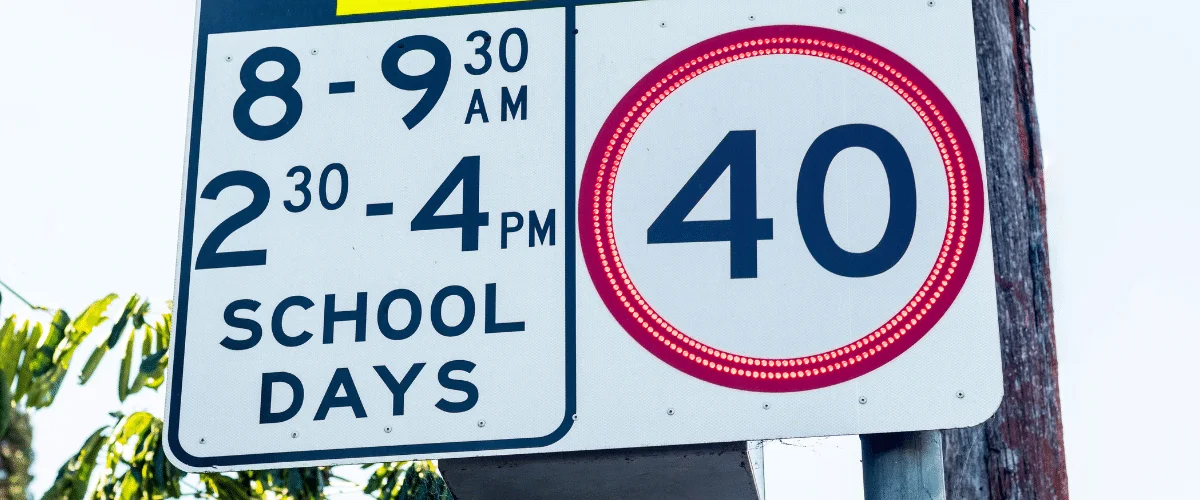
A stop list and map don’t tell a dispatcher when a nearby school starts, where queues form or when a school-zone speed limit applies. A road with a 45 mph limit in July may become a 20 mph zone during posted school hours in August. A route that once cleared a corridor quickly may now face recurring delays at the same time each morning.
Those conditions can make a route inefficient even when the sequence of stops hasn’t changed. A delay repeated every weekday compounds across a school year, affecting appointment windows, driver shifts and the number of jobs a vehicle can complete. The problem is particularly visible for fleets whose routes cross district boundaries, because the calendar change in one area may arrive weeks before the change in another.
Bus stop-arm incidents offer another indication of how often traffic can be interrupted. The National Association of State Directors of Pupil Transportation Services conducts an annual survey in which bus drivers count vehicles that illegally pass a stopped bus on one day, then project the count across the school year. Recent projections reach tens of millions. Those figures are projections, not a yearlong census, but the events counted involve buses stopped in live traffic lanes. For fleet planners, that makes the survey a rough signal of how often traffic flow can be interrupted during morning and afternoon peaks.
Two peak hours call for deliberate scheduling
Federal crash data points to two hours when school-related pedestrian risk is especially relevant to fleet schedules. NHTSA’s National Center for Statistics and Analysis reported in a June 2025 fact sheet that, from 2014 through 2023, more school-age pedestrians were killed between 7:00 and 7:59 a.m. and between 3:00 and 3:59 p.m. than during any other hours of the day. Those windows overlap with the start and end of many field-service shifts.
The same data set counted 971 fatal school-transportation-related crashes and 1,079 people killed over the ten-year period, an average of 108 fatalities per year. Occupants of other vehicles accounted for 70% of those killed. The data also recorded 171 pedestrian fatalities, compared with 113 fatalities among occupants of school transportation vehicles. Of 209 school-age children killed, 79 were pedestrians; about half of the school-age pedestrians killed were between 5 and 10 years old.
These figures don’t mean a fleet can eliminate risk through route planning. They do show why the timing and placement of commercial vehicles deserve attention when students are traveling to and from school. A fleet can decide whether its vehicles are scheduled through a school zone during those peak hours, or whether stop sequences and appointment windows can be adjusted.
Pedestrian fatalities have declined in recent preliminary data, but remain elevated relative to the period before the pandemic. State highway safety office data compiled by the Governors Highway Safety Association shows that drivers struck and killed 6,732 people walking in the U.S. in 2025. That was a 7% decrease and the third consecutive annual decline, while remaining 5% above the pre-pandemic level.
Another seasonal factor overlaps with the first weeks of school. AAA analysis found that 13,135 people were killed in crashes involving a teen driver from 2019 to 2023. More than 30% of those deaths occurred during the period between Memorial Day and Labor Day known as the “100 Deadliest Days.” The average was eight deaths per day in summer, compared with seven per day during the rest of the year. Since that period ends at Labor Day, some regions face a two-to-four-week stretch when school traffic and the seasonal teen-driver risk coincide. AAA’s analysis is available here.
Routing software can’t control other road users. It can help dispatchers limit unnecessary exposure by accounting for school-zone hours, traffic conditions and the locations of vehicles already on the road.
Delays add fuel and labor costs
The financial impact starts with wasted time and fuel. As of July 27, 2026, the U.S. average on-highway diesel price was $5.313 per gallon, up $1.508 from a year earlier, while unleaded gasoline averaged $4.096 per gallon, up $0.973 year over year, according to the U.S. Energy Information Administration’s fuel price data. Those changes amount to roughly 40% for diesel and 31% for gasoline over twelve months. At those prices, avoidable mileage and idling carry a larger cost.
The Department of Energy’s Alternative Fuels Data Center estimates that more than 6 billion gallons of gasoline and diesel are lost to idling in the U.S. each year. It valued that fuel at more than $11 billion using a price of $2 per gallon. Diesel in the source’s July 2026 figures costs more than two and a half times that benchmark, so the same volume of wasted fuel would carry a larger bill at current prices.
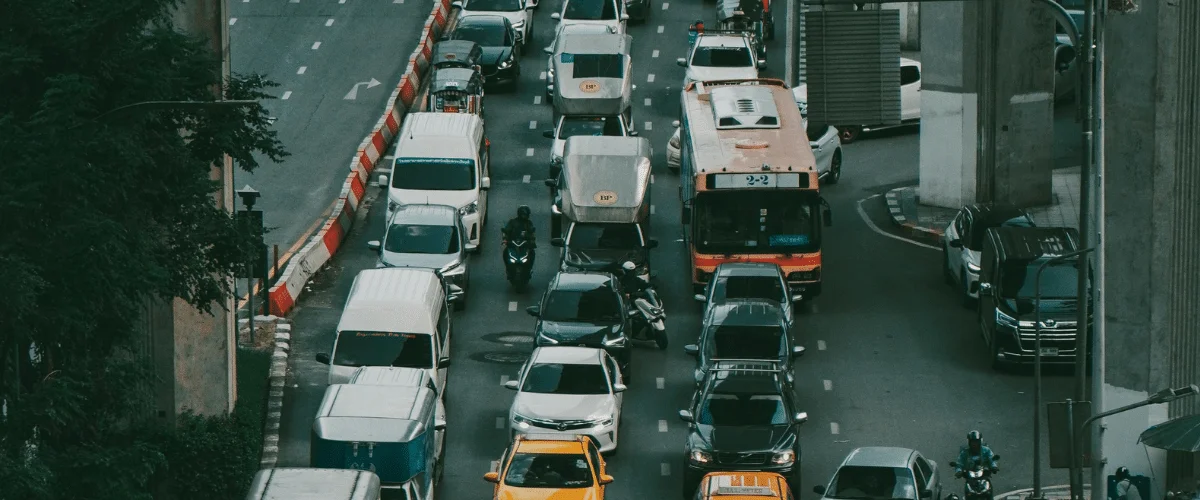
One estimate illustrates the possible scale for a fleet. Argonne National Laboratory’s analysis of idling reduction economics for long-haul trucks models fuel consumption at 0.8 gallons per hour. That is a heavy-duty truck assumption and should be treated as an upper bound for a mixed fleet of vans and medium-duty vehicles. If school-zone queues and bus-stop delays add 20 minutes of idling per vehicle each school day, a 40-vehicle fleet operating over a 180-day school year would burn about 1,900 gallons. At the source’s current fuel prices, that equates to roughly $10,200 in fuel consumed while idling. The Argonne analysis is available through the Alternative Fuels Data Center here.
That estimate covers fuel alone. The vehicles travel no extra distance during those idle minutes, complete no jobs and generate no additional revenue. The calculation depends on the assumed idling rate and added delay, but it shows how small daily losses can add up across a fleet.
Industry data gives the traffic problem a wider frame. The American Transportation Research Institute found that highway congestion added $108.8 billion in costs to the trucking industry in 2022, 15% more than the prior year. Its estimate included 6.4 billion gallons of wasted diesel and $32.1 billion in added fuel costs. The cost averaged $7,588 per truck. The institute’s report is available here.
INRIX reported that congestion increased in 254 of the 290 U.S. cities in its 2025 Global Traffic Scorecard. Drivers lost 112 hours in Chicago, 102 in New York and 101 in Philadelphia. The scorecard’s city figures reinforce a practical point: route plans should reflect traffic at the time a vehicle will be on a road, rather than rely on typical travel times that flatten peak periods.
What route optimization does behind the dispatch screen
Route optimization turns a set of daily jobs into vehicle assignments and stop sequences. The result depends on four steps: placing stops accurately on the map, distributing and ordering those stops, applying the fleet’s operating rules, and getting the plan to drivers while monitoring progress.
1. Locate each stop accurately
The software converts job addresses into map coordinates. If it places a stop in the middle of a street or block instead of at the correct building, a driver may arrive on the wrong side of a divided road or find that no legal turn reaches the destination. A small location error may cost little in light summer traffic; during a school peak, it can create a substantial delay and put an arrival window at risk.
Address quality is easy to overlook because the same bad pin can add time to a stop day after day without drawing attention to itself. Checking geocoding before rebuilding routes can expose errors that would otherwise be carried into every new plan.
2. Assign vehicles and sequence stops
The software chooses which vehicle will serve each job and in what order. That task is more complex than finding a path between two locations. Assigning hundreds of stops across several vehicles and sequencing them creates a vehicle routing problem with a very large number of possible combinations. Manual planning can produce a workable result, but dispatchers usually don’t have time to compare all the alternatives.
Optimization systems can evaluate many combinations quickly. The shortest route by distance isn’t always the best one: a longer route may make more sense if it avoids a predictable queue, fits a customer’s available time or allows a qualified driver to complete the job.
3. Apply actual operating constraints
A usable plan must respect appointment windows, realistic service times, driver qualifications, availability and shift limits. A technician assigned to the right area may still be the wrong choice if the job requires a skill they don’t have or the route pushes their day beyond scheduled hours.
These constraints interact. If each stop takes longer than the system assumes, delays spread through every later appointment. If a recurring morning delay pushes a driver toward overtime, a stop order that looked workable on paper may no longer fit the shift. Routing, timekeeping and driver schedule data are more useful when dispatch can see them together.
4. Send the plan and follow the work
Once routes are built, drivers need the stops in sequence with the job details needed to complete them. Status updates then flow back to the dispatch view as work is completed. Live vehicle positions let dispatch compare actual progress with the plan and decide whether a mid-day adjustment is needed.
Without accurate stop locations, workable assignments, real operating constraints and a way to track execution, the output may look organized without functioning as an optimized route plan.
Five capabilities to check for August operations
Sequence around school hours
A route can minimize distance and still send several vehicles past the same school at the height of arrival or dismissal. Planning should be able to account for appointment windows and traffic patterns so dispatch can route around the 7:00–7:59 a.m. and 3:00–3:59 p.m. periods when feasible. The system should balance on-time service and vehicle use with travel distance.
Fit service times and shifts
School traffic compresses the usable workday. A dispatcher moving stops on a spreadsheet may not see that recurring delays have added 15 minutes to each morning or pushed a driver beyond the planned shift. The route should reflect actual service times and driver availability, with the relevant schedule information visible during planning.
Rework routes after dispatch
A morning plan can become outdated when a bus delay, school-zone lane closure or urgent job changes the day. Dispatchers need to be able to adjust affected routes after drivers leave and send new instructions promptly. Traffic information also matters: some mapping systems account for expected congestion, while others may rely on averages that fail to represent a school peak.
See vehicle locations and driving activity
A live map can help dispatch identify which driver is closest to a new job, who has fallen behind and which vehicle is approaching a school during a busy period. Combining route plans, GPS positions and driver behavior data can also help fleets connect congestion with events such as harsh braking. A fleet management platform may bring those details together with routing and dispatch tools; one example is described at FieldLogix.
Share dependable arrival estimates
Customers increasingly expect a narrow, trackable arrival window. The U.S. Census Bureau estimated that e-commerce sales in the first quarter of 2026 reached $327.6 billion, or 16.9% of all retail sales, up 9.8% year over year. The figures are available from its e-commerce data.
For service fleets, reliable routing can support arrival notices such as “Your technician will arrive between 2:15 and 2:45.” That estimate is only useful if the plan accounts for delays between stops, including a school corridor on the route. When the estimate is accurate, customers have a clearer expectation and the service team may receive fewer status calls.
Measure the results against fleet performance
Route optimization’s benefits should be visible in figures a fleet already tracks. A shift in gallons per stop or idle minutes per vehicle can show whether routes are reducing fuel use. Maintenance cost per mile and unplanned downtime help track vehicle wear. Stops completed per driver per day and overtime hours measure productivity. Jobs per vehicle and the number of vehicles needed indicate utilization. On-time arrival rates and “Where is my driver?” call volume offer a view of the customer experience.
| Area | Potential change | Metric to watch |
| Fuel | Fewer miles and less idling | Gallons per stop; idle minutes per vehicle per day |
| Vehicles | Less wear from mileage and driving conditions | Maintenance cost per mile; unplanned downtime events |
| Labor | More completed work within the same shift | Stops per driver per day; overtime hours |
| Assets | Improved use of vehicles across the fleet | Jobs per vehicle; vehicles needed to cover the day |
| Customers | More reliable arrival performance | On-time arrival rate; “Where is my driver?” call volume |
Fuel is often the quickest benefit to verify because route distance and idle time can be measured directly. Fewer miles can also reduce tire and brake wear and extend the intervals between maintenance visits. Those savings may take longer to appear in budgets, but maintenance cost per mile and downtime can help identify the trend.
Productivity gains come from converting less time behind the windshield into more completed work. They don’t require drivers to travel faster. A more workable sequence can let the same team finish more jobs within a shift, or cover the schedule with fewer vehicles. Customer service is affected too: dependable arrival estimates begin with a plan that accounts for traffic rather than a generic travel-time calculation.
Dynamic routing performs best when traffic is worst
A December 2025 study in Scientific Reports compared dynamic route optimization with static routing in modeled urban last-mile delivery. The dynamic method cut total operating costs by 24.3%, reduced congestion exposure by 54.4% and raised on-time delivery from 68.1% to 92.8%. The study is available here.
The comparison also found a difference under extreme traffic conditions: performance degradation was limited to 15.1% with dynamic routing, compared with 26.2% for static systems. Those are results from modeled conditions, not a guarantee for an individual fleet. They do show why a routing tool should be evaluated during difficult traffic conditions. A quiet Tuesday in July may not reveal how well it handles the school-year peak.
Dynamic routing is most useful when plans need to change as conditions change. If dispatch can move a stop and send updated instructions while vehicles are working, it has options when a corridor slows down. A static plan leaves fewer ways to respond once the day starts.
Audit the data before rebuilding routes
Geocoding and service times are two basic inputs that can undermine an otherwise capable optimization system. If a stop is pinned to the wrong location, its travel time and sequence may be inaccurate. If the system assumes a 20-minute service call while technicians typically spend 35 minutes on site, later appointments are likely to fall behind.
Reviewing those inputs in the last week of July gives dispatch a chance to correct them before the new schedule is built. The same check should include driver availability and shift details, so the plan reflects the operation that will run it.

Test route software against the difficult day
For a software comparison, the school-start pattern offers a practical test. Ask how long it takes to build a day’s routes; if next-day planning still takes close to an hour, the process may be hard to sustain during a busy September. Check whether dispatch can modify routes after they’ve been sent and get the changes to drivers promptly.
Evaluate traffic awareness at the time vehicles will travel, not against an all-day average. Check the driver experience as well: routes should present stops in order with addresses, contact details and job instructions. Drivers should be able to update a job’s status and record photos or signatures when the work is complete, rather than receive a static document that doesn’t support the day’s workflow.
Ask whether the system can send arrival estimates to customers as drivers head to a job. Check how it connects with the fleet’s existing tools, including vehicle locations, driver activity and inspection data. A demonstration using the fleet’s most difficult August corridor will reveal more about performance than a generic feature list or a test on an easy route.
Build the school calendar into dispatch planning
Fleet managers can start by marking each school district’s return date on the dispatch calendar, grouped by region. Identify school zones along the fleet’s busiest routes and record their posted hours. Treat the morning and afternoon peak periods as scheduling constraints, and audit stop locations and service times before generating revised plans.
Then test whether the software can re-optimize during the day, using a challenging corridor rather than an easy one. Record a baseline for fuel use, driver productivity and arrival performance so changes can be reviewed in September. Keep a record of the routing approach and the plans provided to drivers.
School traffic is a recurring, schedulable change to road conditions. Rebuilding routes before start dates arrive gives dispatchers a chance to account for it in vehicle assignments, stop sequences and customer arrival times. The traffic will still affect the day; the difference is whether the fleet has a plan ready to absorb it.
FieldLogix describes its Goose app as a route and dispatch tool that builds routes, supports mid-day changes and sends drivers stop details and job instructions. The company says drivers can update job status and capture photos and signatures, while customers receive an estimated arrival time when a driver is en route. It also says Goose operates within its fleet platform, which includes GPS tracking and driver behavior monitoring. Further product details are at FieldLogix routing and dispatching.